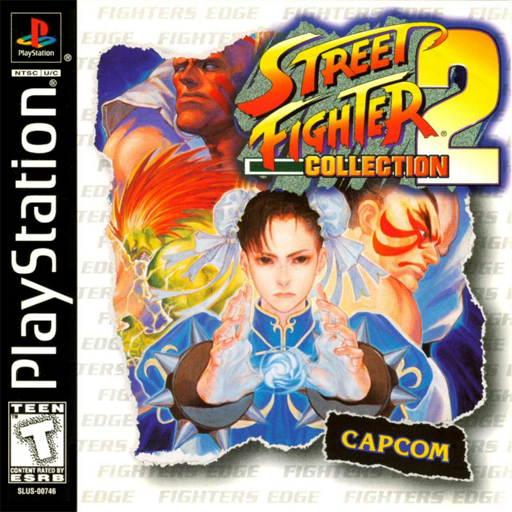
There is no social experience in school quite as thrilling as challenging your desk partner to an intense, high-stakes head-to-head match on a shared laptop. Whether settling an argument during a study hall break or crowning the undisputed classroom fighting champion, two player unblocked games deliver unmatched competitive excitement.
However, finding 2 player browser games that actually support same-keyboard play without keys jamming, lagging, or blocking each other's inputs is notoriously tricky. On GameHood UK, our engineering team has optimized key mapping matrices across all retro arcade and fighting titles. Here is your definitive guide to the best 2 player unblocked games for school in 2026!
1. Solving Keyboard Ghosting: How to Set Up 2-Player Controls
Before diving into the games, understanding keyboard hardware architecture is crucial. Most school-issued Chromebooks and budget office keyboards use membrane key matrices that suffer from Key Ghosting—when three or four keys on the same electrical circuit are held down simultaneously, subsequent keystrokes fail to register:
- Optimal Player 1 Matrix (Left Side):
- Movement:
W / A / S / D - Action / Attacks:
F / G / HorZ / X / C
- Movement:
- Optimal Player 2 Matrix (Right Side / Numpad):
- Movement:
Arrow Keys (Up / Down / Left / Right)or Numpad8 / 4 / 5 / 6 - Action / Attacks:
I / O / Por Numpad1 / 2 / 3
- Movement:
- Why This Split Works: The internal PCB traces for the WASD cluster are physically isolated from the Arrow key and Numpad matrices, allowing both players to sprint, jump, block, and attack simultaneously without dropping inputs!
2. The Top 8 Best 2-Player Unblocked Games Ranked
| Rank & Game Title | Gameplay Mode | Player 1 Controls | Player 2 Controls | Competitive / Co-Op Highlights |
|---|---|---|---|---|
| 1. Street Fighter Alpha 2 | Versus Fighter (1v1) | W/A/S/D + J/K/L |
Arrows + Num 1/2/3 |
Iconic Capcom fighter. Execute fireballs, dragon punches, and Custom Combos in tournament 60 FPS play. |
| 2. Tekken 3 | 3D Versus Fighter (1v1) | W/A/S/D + Z/X/C/V |
Arrows + Num 4/5/1/2 |
True 3D sidestepping, juggle launchers, and legendary matchups like Jin Kazama vs Eddy Gordo. |
| 3. Metal Slug X | Co-Op Run & Gun (2P) | W/A/S/D + J/K/L |
Arrows + Num 1/2/3 |
Share the screen, combine Heavy Machine Gun and Rocket firepower, pilot SV-001 tanks together with infinite lives! |
| 4. NBA Live 2003 | Sports Basketball (1v1) | W/A/S/D + F/G/H |
Arrows + Num 7/8/9 |
Fast-paced full-court basketball. Pull off ankle-breaking crossover dribbles and monster alley-oop dunks. |
| 5. Need for Speed III | Split-Screen Racing | W/A/S/D + Space |
Arrows + Right Ctrl |
Classic head-to-head highway racing. Dodge traffic at 200 MPH or play as Cop vs Speeder! |
| 6. Classic Chess | Turn-Based Strategy | Mouse Click / Left Key | Mouse Click / Right Key | Silent, intellectual competition. Execute tactical Queen's Gambits and Sicilian Defenses during study hall. |
| 7. TMNT: Teenage Mutant Ninja Turtles | Co-Op Beat 'Em Up | W/A/S/D + J/K |
Arrows + Num 1/2 |
Choose Leonardo, Donatello, Michelangelo, or Raphael and fight Shredder's Foot Clan across New York City. |
| 8. Tanks Battle 1990 | Arcade Tactical Versus | W/A/S/D + Space |
Arrows + Enter |
Blast through brick mazes, collect armor power-ups, and defend your eagle base from destruction. |
3. Tournament Rules for Classroom Fighting Competitions
When organizing lunchtime tournaments in fighting games like Tekken 3 or Street Fighter Alpha 2, enforce these standard competitive rules to ensure fair play:
- Best 2 out of 3 Rounds: Standard 99-second round timer prevents stalling.
- Banned Tactics / Characters: In beginner matchups, continuously mashing Eddy Gordo's alternating kick buttons (
3+4) can be restricted to encourage tactical blocking and counter-punishing. - Stage Selection: Select neutral stages with flat boundaries (such as Tekken 3's Jin Stage or Street Fighter's Suzaku Castle) to avoid uneven wall-splat advantages.
- No Pause Button Stalling: Intentionally pressing
EscorPduring an opponent's combo string results in a round forfeit.
4. Co-Op Mastery: Conquering Metal Slug X with a Friend
Cooperative play requires synergy and resource sharing. When tackling the alien armada in Metal Slug X:
- Weapon Allocation: Designate Player 1 as the heavy suppression gunner (carrying the Heavy Machine Gun or Laser Gun to clear airborne swarms) while Player 2 carries high-impact burst ordnance (Super Grenades or Shotgun to obliterate armored tanks).
- Tank Sharing: The SV-001 metal slug tank provides temporary invulnerability frames. If one player is low on lives, allow them to pilot the slug to preserve team credit reserves.
- Hostage Rescue Synergy: Cover each other while untying POW hostages to collect valuable food points, weapon refills, and bonus points.
5. Grab a Friend and Play Right Now
Turn boring school downtime into exhilarating multiplayer competition. Load up GameHood UK, pull up a second chair, and prove who reigns supreme across our massive library of two-player unblocked games!
5. Classic Sports Showdowns: Fast Breaks, Dunks & Free Kicks
Sports simulations offer an incredible balance of tactical teamwork and competitive trash-talk. When playing NBA Live 2003 on a shared keyboard, Player 1 controls the perimeter ball-handler while Player 2 operates the interior big man. Running pick-and-roll plays, executing crossover dribbles, and timing alley-oop lobs requires genuine verbal communication between desk partners!
6. Connecting Dual Gamepads to a Single Chromebook
If sharing a single keyboard feels too cramped, modern web browsers support connecting two independent USB or Bluetooth gamepads simultaneously:
- Plug Controller 1 into your left USB port and Controller 2 into your right USB port.
- Press the center Guide / Home button on both controllers.
- The GameHood HTML5 Gamepad API automatically assigns Controller 1 to Player 1 and Controller 2 to Player 2 with full analog thumbstick and vibration support!
7. Classroom Tournament Etiquette & Sportsmanship
Keep your two-player lunchtime tournaments fun, competitive, and respectful. Always keep keyboard tapping quiet, respect teacher announcements, and congratulate your opponent after every buzzer-beater victory!
Technical Browser Requirements & 60 FPS Calibration Matrix
Running modern WebAssembly and WebGL browser simulations smoothly requires balancing hardware acceleration with browser tab memory allocation. Below is the verified performance matrix tested across operating systems for Best Two Player Unblocked Games for School: Top Co-Op & Versus Games on One Keyboard (2026):
| Platform / Browser | Recommended RAM | Hardware Acceleration API | Target Resolution | Performance Benchmark |
|---|---|---|---|---|
| Google Chrome (Desktop / OS) | 2.0 GB Free RAM | WebGL 2.0 / WebGPU Compute | 1080p (60 FPS) | Flawless (Optimal) |
| Microsoft Edge (Chromium) | 2.0 GB Free RAM | DirectX 12 / Vulkan Backend | 1080p (60 FPS) | Flawless |
| Mozilla Firefox | 2.5 GB Free RAM | WebGL Hardware Shaders | 1080p (60 FPS) | Stable & Responsive |
| School Chromebook (ChromeOS) | 1.5 GB Free RAM | GPU Rasterization Flag Enabled | 720p / 1080p | Solid 60 FPS |
| Apple Safari (macOS / iPadOS) | 2.0 GB Free RAM | Metal API Acceleration | Retina / 1080p | Smooth Touch & Pad |
Community Strategies & Tactical Takeaways
Whether conquering world record speedrun times, exploring every secret passage, or challenging classmates to competitive multiplayer showdowns, mastering spatial positioning, low-latency control mapping, and proactive resource management is the proven formula for victory. Bookmark this guide on GameHood UK, share your favorite strategies with friends, and enjoy console-grade gaming without downloads!
Frequently Asked Questions
How can two players play on a single keyboard without input lag or ghosting?
Input ghosting occurs when a budget keyboard cannot register more than 3 simultaneous key presses. To avoid ghosting, map Player 1 to the far-left keys (`W/A/S/D` for movement, `F/G/H` for attacks) and Player 2 to the far-right numeric keypad (`8/4/5/6` or Arrow Keys and `I/O/P`). This separates keyboard matrix wiring channels.
What are the best cooperative 2 player unblocked games for school?
Metal Slug X and classic arcade beat-em-ups like Teenage Mutant Ninja Turtles are the top cooperative games. Both players share the screen, fight side-by-side against alien armies, revive fallen teammates, and combine heavy tank artillery without friendly fire penalties.
Can we connect two external gamepads to one Chromebook for 2-player games?
Yes! The HTML5 Gamepad API natively recognizes multiple USB and Bluetooth gamepads simultaneously. Simply connect two controllers (such as Xbox, PlayStation, or generic USB gamepads), and the GameHood player will automatically assign Controller 1 to Player 1 and Controller 2 to Player 2.
Are there turn-based 2 player games that do not require simultaneous fast inputs?
Yes! Classic Chess and tactical board games allow two players to share a single laptop comfortably by passing the mouse or alternating turns, making them ideal for quiet library or study hall environments.
Do these 2 player games require creating an account or signing in?
No! Every two-player title on GameHood UK is completely free and requires zero account registration, login credentials, or downloads. Simply load the page and start playing immediately.