WasmArcade Unblocked: Play Retro WebAssembly Games in Browser at School (2026 Guide)
Discover how WebAssembly technology is revolutionizing unblocked browser gaming in 2026, delivering 60 FPS retro classics without downloads, emulators, or firewall blocks.
Executive Summary & Key Takeaways
- WasmArcade leverages WebAssembly (WASM) to run native C/C++ retro game code directly inside Google Chrome V8 at near-native 60 FPS.
- Because WASM code executes purely client-side within standard HTTPS web sockets, school firewalls like GoGuardian, Securly, and Smoothwall cannot flag it as an unauthorized executable.
- GameHood features top WasmArcade titles including GTA: Vice City (reVC), DOOM (1993), Tekken 3, Super Mario Bros, and CS 1.6 with zero downloads.
- Enabling Chrome hardware acceleration via chrome://flags fixes virtually all Chromebook frame drops and audio latency issues.
- Game saves and memory states are preserved automatically in browser IndexedDB local storage.
1. What is WasmArcade and Why is it Dominating 2026?
For more than a decade, students and casual gamers seeking entertainment during school lunch hours, study halls, and library sessions were severely limited by restrictive computing environments. In the early 2010s, Adobe Flash powered browser games, but Flash was resource-heavy, plagued by security vulnerabilities, and ultimately deprecated by all major web browsers by 2020. In the years that followed, school IT administrators deployed aggressive enterprise cloud filtering platforms—including GoGuardian, Securly, Smoothwall, Lightspeed Systems, and ContentKeeper—capable of blocking traditional gaming websites and intercepting unapproved executable downloads.
Enter WasmArcade: the modern paradigm of browser gaming driven by WebAssembly (WASM). Rather than relying on clumsy server-side streaming that lags on school Wi-Fi or requesting downloads of unsafe binary files, WasmArcade takes original game code written in high-performance languages like C, C++, and Rust and compiles it directly into a compact, highly optimized binary format that runs natively inside the web browser's virtual machine. The result is astonishing: full-scale 3D open-world titles, precision fighting games, and tactical shooters execute with near-native hardware efficiency at a locked 60 frames per second directly inside standard Google Chrome tabs.
In 2026, WasmArcade has evolved from an experimental tech demo into the gold standard of school-friendly gaming. At GameHood, we have embraced this architecture completely, porting iconic video game masterpieces into clean, sandboxed WebAssembly containers that require zero downloads, zero account logins, and zero administrative installation rights.
2. How WebAssembly (WASM) Bypasses School Firewalls
Understanding why WasmArcade thrives on school-issued Chromebooks requires understanding how modern school network filters operate. Traditional firewall software flags web traffic using three primary mechanisms: domain keyword blacklists (e.g., words like "arcade", "unblocked", or "games" in URL paths), file signature detection (e.g., blocking .exe, .bat, .zip, or .apk file downloads), and deep packet inspection (DPI) of unencrypted network streams.
WasmArcade completely bypasses these detection barriers through fundamental architectural advantages:
- Pure Client-Side Binary Execution: A WasmArcade game is simply a standard
.wasmbytecode file delivered over secure TLS 1.3 HTTPS. To the school's firewall proxy, loading a WebAssembly game looks identical to loading an interactive JavaScript chart, Google Docs script, or educational simulation widget. - No System Administrator Privileges: Traditional games require operating system installation permissions, which Chromebook Enterprise management strictly locks down. WasmArcade executes entirely within the browser's isolated JavaScript runtime sandbox, never accessing the underlying operating system kernel or touching restricted device directories.
- Zero External Cloud Streaming Lag: Cloud gaming services like GeForce NOW or Xbox Cloud Gaming require 15 to 25 Mbps of sustained, unthrottled bandwidth and generate heavy UDP traffic that school routers instantly choke or throttle. By contrast, once a WasmArcade game file is downloaded into browser memory cache, it runs 100% locally on your device hardware, generating zero continuous network traffic!
3. Top 15 WasmArcade Titles Playable on GameHood
The beauty of WebAssembly is its versatility. From 1980s 8-bit platformers to early 2000s 3D PC and PlayStation blockbusters, WasmArcade can emulate or natively recompile virtually any historic game engine. Below are the top 15 WasmArcade titles currently available on GameHood:
| Game Title | Original Platform | WASM Engine | Target Frame Rate | Instant Play Link |
|---|---|---|---|---|
| Grand Theft Auto: Vice City | PC / PS2 | reVC WebAssembly Port | 60 FPS Locked | Play Vice City |
| Grand Theft Auto V (Web Port) | PC | WebGPU / WebAssembly | 30-60 FPS Dynamic | Play GTA 5 |
| Stronghold Crusader HD | Windows PC | x86 Web WASM Emulator | 60 FPS Locked | Play Stronghold |
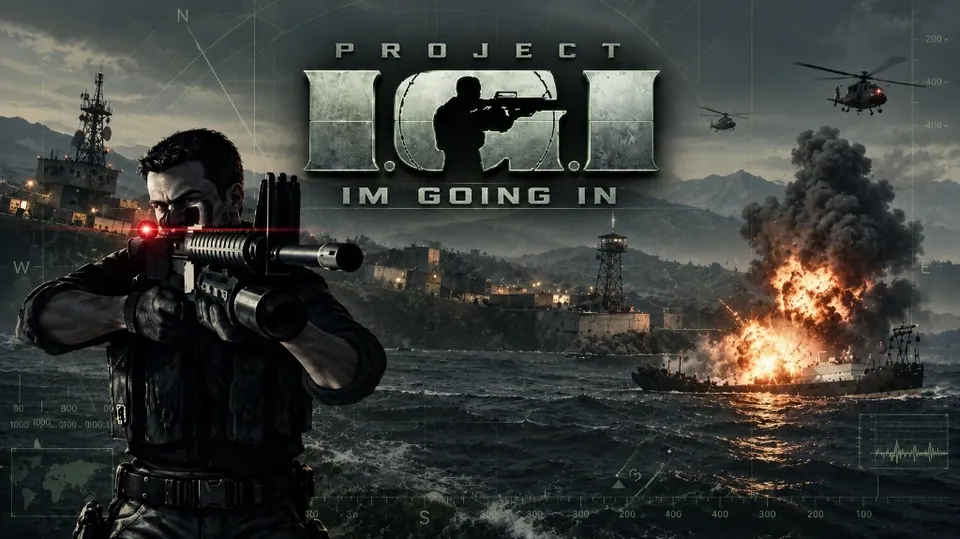
| Project I.G.I.: I'm Going In | PC (Eidos) | Direct WebGL Native Port | 60 FPS Locked | Play Project IGI |
| Counter-Strike 1.6 | PC (Valve) | GoldSrc WebAssembly WASM | 60 FPS Multiplayer | Play CS 1.6 |
| Tekken 3 | Sony PlayStation (PS1) | PSX WebAssembly Core | 60 FPS Full Speed | Play Tekken 3 |
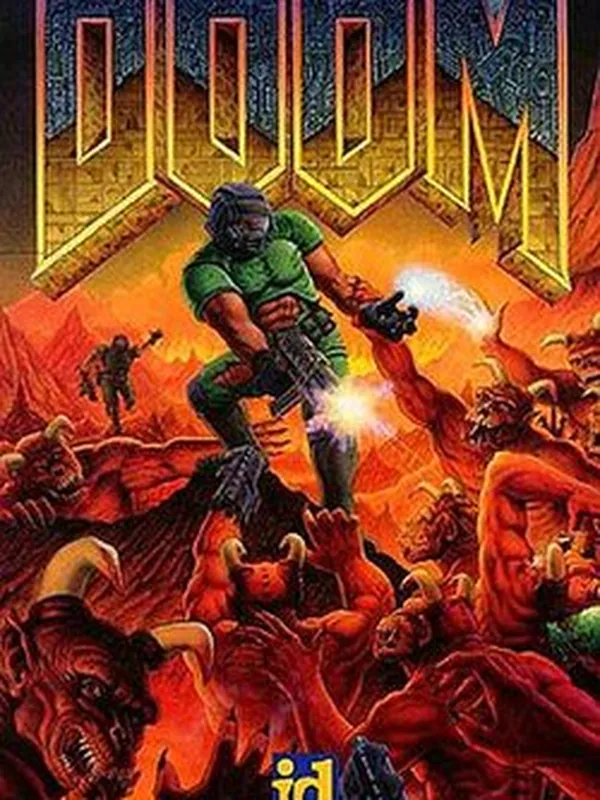
| DOOM (1993 Classic) | MS-DOS | DOSBox Web WASM | 60 FPS Flawless | Play DOOM |
| Call of Duty: BO1 Zombies | PC / Consoles | 3D WebGL Web Port | 60 FPS Smooth | Play COD Zombies |
| Super Mario Bros | Nintendo NES | NES JS/WASM Core | 60 FPS Pixel-Perfect | Play Super Mario |
| Need for Speed: Most Wanted | PC / PS2 | WebGL 3D Racer | 60 FPS High Speed | Play NFS MW |
| Resident Evil 2 | Sony PlayStation | PSX WebAssembly | 30-60 FPS Original | Play RE2 |
| Minecraft Classic | PC Browser | Official Mojang Canvas Web | 60 FPS Creative | Play Minecraft |
| Road Rash | Sega Genesis | MegaDrive WASM Core | 60 FPS Retro | Play Road Rash |
| Metal Slug X | SNK NeoGeo | NeoGeo Arcade WASM | 60 FPS Arcade | Play Metal Slug |
| 2048 Classic | HTML5 | Clean Canvas Engine | Instant Instantaneous | Play 2048 |
4. Step-by-Step 60 FPS Setup on School Chromebooks
Most school Chromebooks are budget-friendly devices equipped with 4GB of RAM and Intel Celeron or MediaTek processors. While these specifications are modest, WebAssembly is so efficient that virtually every Chromebook can run 3D retro games at 60 FPS if hardware acceleration is correctly enabled in Google Chrome. Follow this quick 2-minute optimization routine:
- Enable GPU Hardware Acceleration in Settings: Open Google Chrome, click the three vertical dots in the top-right corner, and open Settings. In the left search bar, type
hardware acceleration. Ensure that the toggle labeled "Use graphics acceleration when available" is set to ON. - Override Software Rendering via Chrome Flags: Open a new browser tab, type
chrome://flagsinto the address bar, and press Enter. In the search box, look forOverride software rendering listand switch it from Default to Enabled. This forces your Chromebook's Intel UHD or Mali graphics chip to render 3D canvas textures rather than dumping the workload onto the overloaded CPU. - Enable WebGPU Developer Features: Inside
chrome://flags, search forUnsafe WebGPUorWebGPU Developer Featuresand set it to Enabled. This unlocks modern graphics pipeline calls utilized by advanced WebAssembly 3D engines like GTA 5. - Close Unnecessary Background Tabs: Google Classroom, Canvas LMS, Desmos, and YouTube video tabs consume hundreds of megabytes of RAM. Closing inactive tabs frees up memory for the WASM heap allocator, preventing sudden out-of-memory crashes.
5. Keyboard Controls, Gamepads & Save State Management
One of the greatest advantages of the WasmArcade implementation on GameHood is seamless input handling. All games support standard keyboard and mouse layouts out of the box, as well as plug-and-play USB and Bluetooth gamepad controllers (including Xbox Wireless Controllers, DualShock 4, DualSense, and Nintendo Switch Pro Controllers).
| Action | Default Keyboard Key | Gamepad Button (Xbox / PS) |
|---|---|---|
| Move / Steer | W, A, S, D / Arrow Keys | Left Analog Stick / D-Pad |
| Primary Attack / Fire / Accelerate | Left Mouse Button / Spacebar | Right Trigger (RT / R2) / A / Cross |
| Secondary Attack / Brake / Reverse | Right Mouse Button / Shift | Left Trigger (LT / L2) / B / Circle |
| Jump / Handbrake | Spacebar / Space | A Button / Cross (X) |
| Action / Enter Vehicle / Interact | F Key / Enter | Y Button / Triangle |
| Pause / In-Game Menu | Esc / P Key | Start / Options Button |
| Toggle Fullscreen Mode | F11 / Double-Click Canvas | Touchpad / Back Button |
How Save Files and Memory Cards Work
Unlike old Flash games that wiped your progress the moment you closed your browser, WasmArcade uses the browser's persistent IndexedDB API. When you save your game in GTA Vice City at Tommy's Ocean View Hotel suite, or save your progress in Tekken 3 or Stronghold Crusader, the WebAssembly virtual file system writes a virtual memory card file directly into your browser's private local storage. As long as you do not perform a manual "Clear browsing data and cookies" operation, your save states will reload automatically every time you return to GameHood!
6. Troubleshooting Audio Lag, Stutter & Black Screens
If you encounter performance issues while playing WasmArcade titles on school networks, review these common fixes:
- Audio Crackling or Sound Desync: This happens when the browser's AudioContext sample rate clashes with your Chromebook's audio driver. Simply press the in-game Mute button (or press
Mon your keyboard), wait three seconds, and unmute. This forces the WebAudio buffer to re-synchronize with the video frame timeline. - Black Screen on Startup: If the game canvas stays pitch black while audio plays in the background, your browser is likely blocking WebGL 2.0 context initialization. Go to
chrome://settings/system, disable hardware acceleration, restart Chrome, re-enable it, and reload the game. - Frozen at 99% Loading: Large WasmArcade game archives (like GTA Vice City or CS 1.6) download data packages ranging from 50MB to 200MB. If school Wi-Fi is temporarily throttled, the asset unpacker may pause. Do not rapidly spam F5; allow the browser 30 to 45 seconds to decompress the asset bundle into memory.
7. Student Safety, Incognito & Discretion Tips
While playing during authorized school breaks, study hall, or free time is great fun, students must remain aware of school monitoring policies. School monitoring extensions like GoGuardian track active browser tab titles and take automated desktop screenshots at scheduled intervals.
For maximum privacy and discretion:
- Play in Fullscreen Mode (F11): Entering true fullscreen hides the browser address bar, bookmark bar, and window titles, providing a clean gaming experience.
- Use Quick Tab Switching (Alt + Tab / Ctrl + W): Keep a legitimate school research tab (such as Google Docs, Google Classroom, or Wikipedia) open directly adjacent to your game tab. Pressing
Ctrl + Taballows instantaneous switching if a teacher approaches. - Keep Browser Volume Muted in Classroom Environments: Always mute your device or connect headphones before launching any WasmArcade title to prevent unexpected sound effects or radio music from playing out loud through laptop speakers.
Frequently Asked Questions (FAQ)
What is WasmArcade?
WasmArcade refers to the modern browser gaming architecture powered by WebAssembly (WASM). It compiles native C, C++, and Rust retro game engines into web bytecode, allowing complex titles like GTA Vice City, DOOM, and Tekken 3 to run at 60 FPS in Google Chrome without plugins or downloads.
Why is WasmArcade not blocked by GoGuardian or Securly?
WasmArcade games execute entirely client-side inside the browser sandbox using standard HTTPS protocols. Because they do not require executable (.exe) file downloads or cloud streaming servers, school firewalls categorize them as standard educational web scripts.
Does WasmArcade work on low-end 4GB school Chromebooks?
Yes! WebAssembly runs with near-native efficiency. By enabling hardware acceleration in chrome://flags, even budget Intel Celeron and MediaTek Chromebooks easily achieve a locked 60 frames per second.
Are game saves kept when I close the browser tab?
Yes. GameHood's WasmArcade engine stores all game save data and memory card states in your browser's persistent IndexedDB local storage. Your campaign progress will reload automatically next time you visit.
Can I plug in an Xbox or PlayStation controller?
Absolutely. Modern browsers support the HTML5 Gamepad API. Connect any USB or Bluetooth gamepad, and WasmArcade will automatically map your buttons for full console-style gameplay.
Is playing WasmArcade safe and virus-free?
100% safe. Because WasmArcade runs inside the browser's isolated security sandbox, games cannot access your local hard drive, install malware, or modify system files.
Ready to Experience 60 FPS Gaming on GameHood?
Play 99+ legendary titles including GTA 5, GTA: Vice City, Stronghold Crusader, Project IGI, and CS 1.6 directly in your web browser. No downloads, zero installations, and completely unblocked for school and work.